Remote control for macOS
Remote control for macOS, without the desk-side trip.
Open an encrypted Mac session from your browser, then work across the desktop, files, processes, and services in one tab.
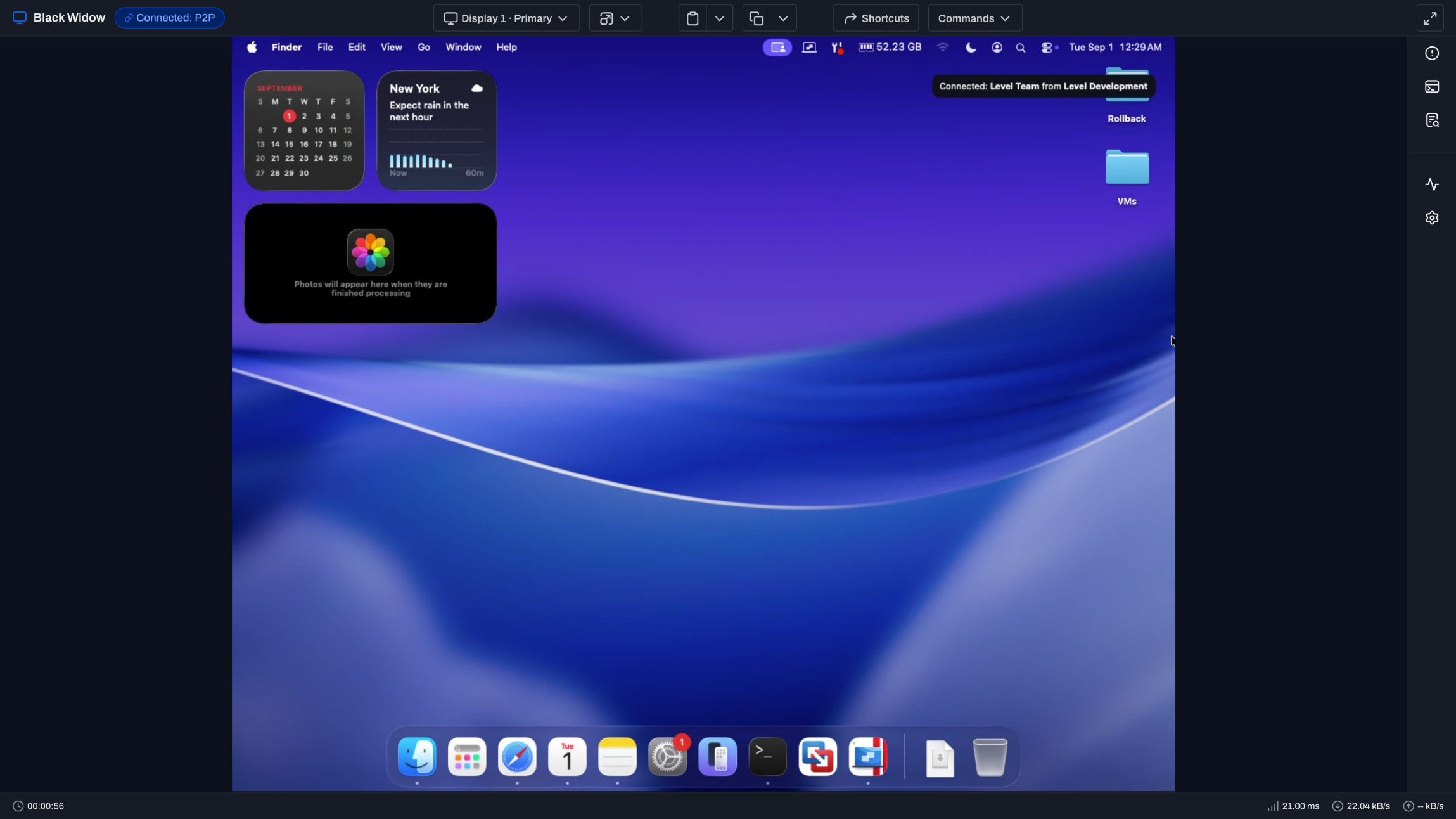
Apple owns the permission model. Level makes it deployable.
Grant the right access once, then connect from anywhere.
Capture the display.
Screen Recording permission lets Level show the Mac desktop inside the remote session.
Control mouse and keyboard.
Accessibility permission lets the technician click, type, and work through the session.
Reach protected files.
Full Disk Access supports file operations through File Explorer and the wider Level agent.
Roll permissions out with MDM.
Use Level’s PPPC profile to grant supported permissions and simplify user approval at scale.
A Mac session that acts like a Mac session.
The lock screen, displays, and clipboard stay within reach.
Connect at the lock screen.
Reach a locked Mac, unlock it with authorized credentials, and follow the active user session.
Switch between displays.
Use the Display menu to move across multiple monitors without reconnecting.
Use the clipboard where macOS allows it.
Copy and paste, including paste on the lock screen, or use Paste to type into restricted screens.
Intel or Apple Silicon. The session path stays the same.
Technicians connect from the browser and keep the Mac in context.
Both Mac architectures.
Remote control works across supported Intel Macs and Apple Silicon devices.
P2P first.
Level connects the browser directly to the Mac when network conditions allow.
Encrypted relay fallback.
Restrictive networks can use a relay without exposing the session content to the relay server.
Permissions stay scoped.
Group-level remote control permissions determine which technicians can reach each Mac.
Same browser workflow. Three operating systems.
Choose another platform or use background tools without taking the screen.
macOS remote control, answered.
Privacy permissions, MDM deployment, and lock-screen access.
Which macOS permissions does Level remote control need?
Screen Recording enables the desktop view, Accessibility enables mouse and keyboard control, and Full Disk Access supports File Explorer and other agent operations.
Can I grant the required Mac permissions through MDM?
Mostly. Level provides a PPPC profile that can grant Accessibility and Full Disk Access. Apple does not allow MDM to silently grant Screen Recording, but the profile can let a non-admin user approve that prompt.
Why is the Mac session black or not accepting input?
A black screen usually means Screen Recording permission is missing. A visible desktop that will not accept clicks or typing usually means Accessibility permission is missing.
Can I connect to a Mac at the lock screen?
Yes. The Level agent can attach to the macOS lock screen and stay connected as an authorized user unlocks the device.
Does remote control work on Apple Silicon?
Yes. Remote control works on supported Intel and Apple Silicon Macs. The Level service account used for some patching workflows is not required for remote control.
Reach the next Mac without leaving your desk.
Deploy the Level agent, set the macOS permissions, and connect. First 10 devices free.