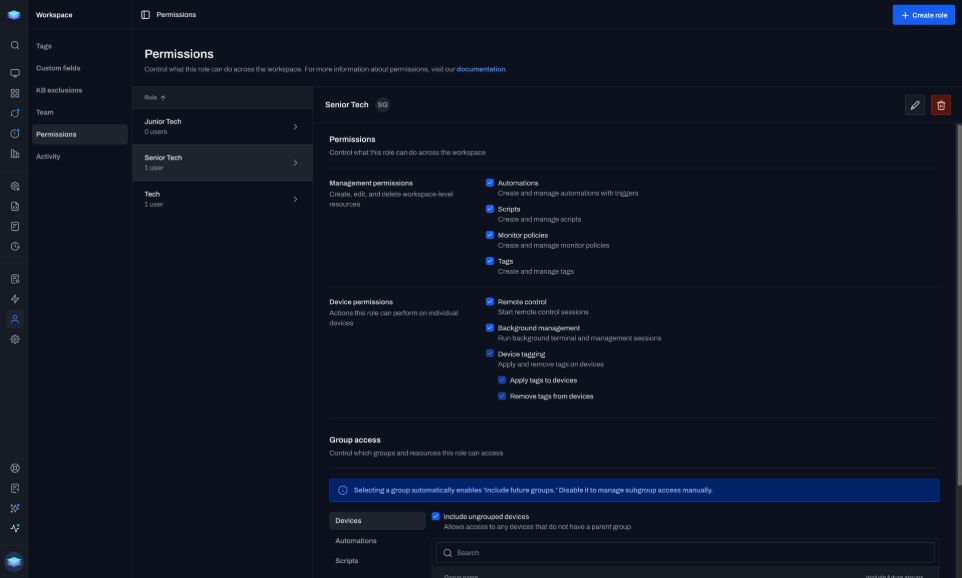
Scope access by role and group.
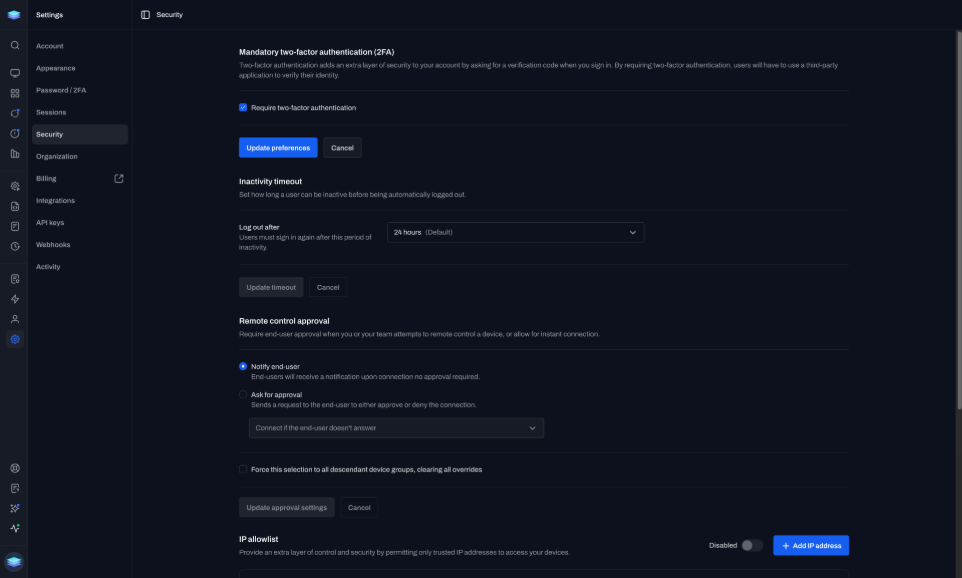
Role-based permissions control who can start a session and on which device groups.
Connect to Windows, macOS, and Linux from any browser. Encrypted. No extra viewer.
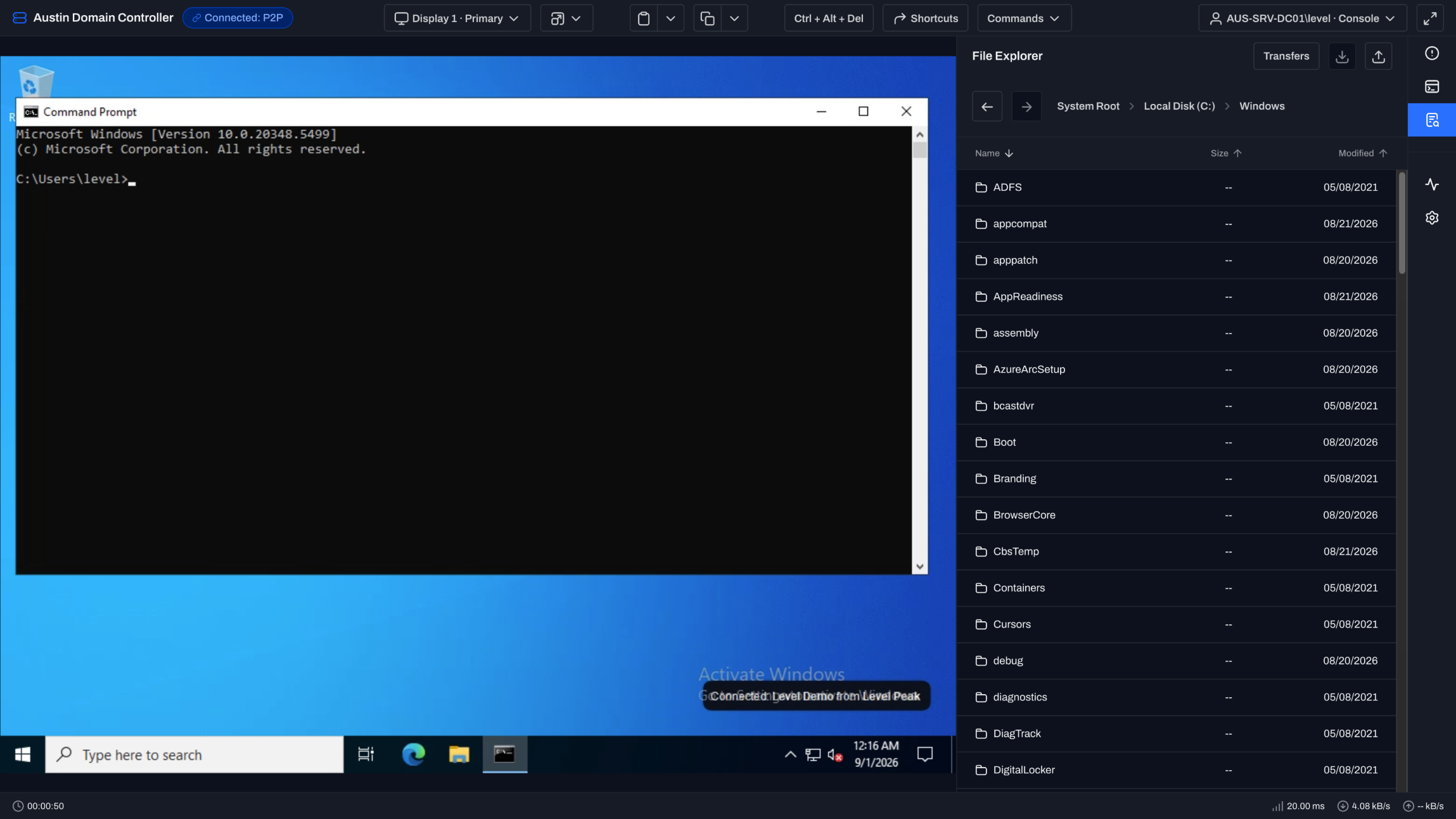
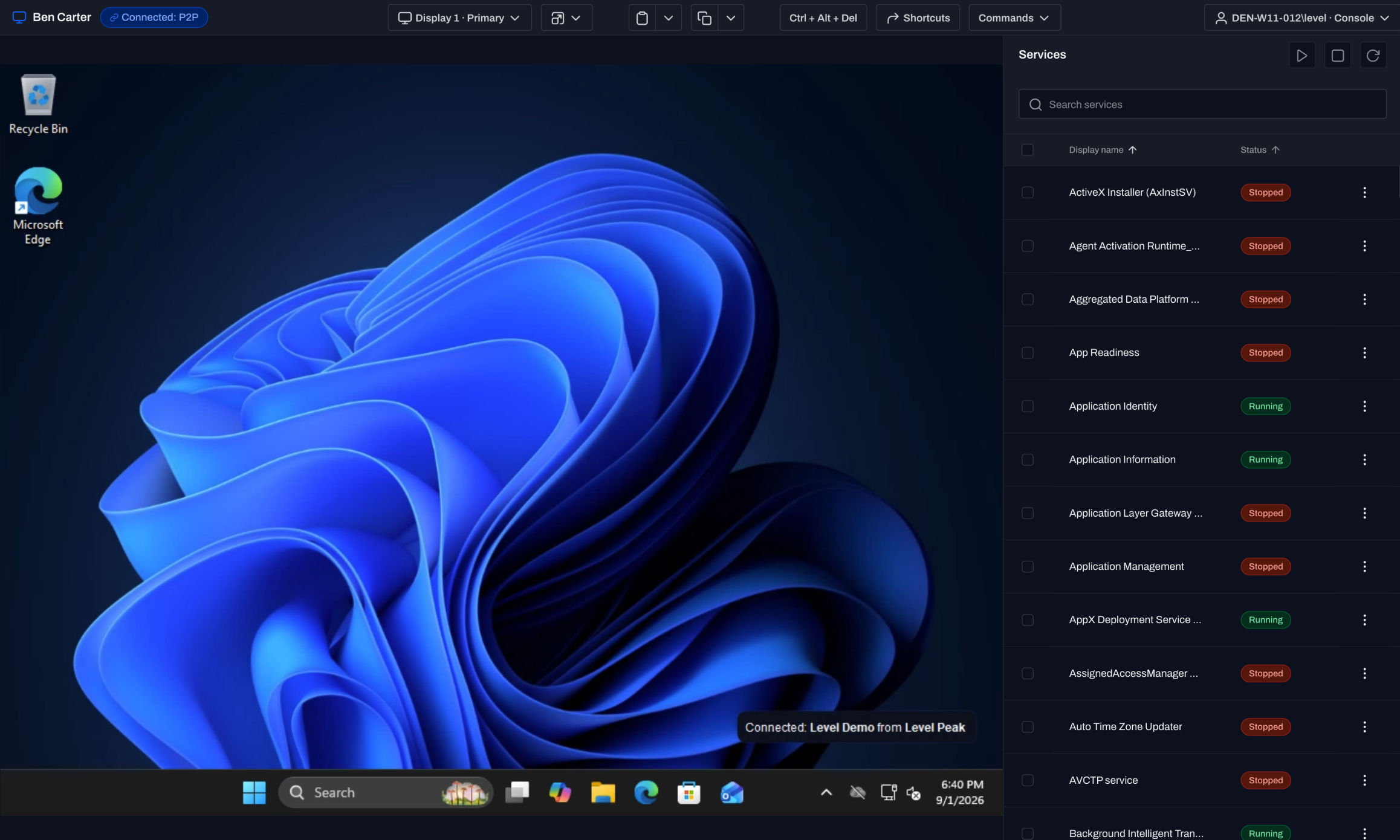
Keep the session toolbar and device tools in the same browser tab.
You work the desktop without switching apps.
System details, terminal, file explorer, services, and processes stay in the same tab as the desktop.
Copy and paste between your machine and the device, including paste on login and UAC screens.
Send presets or a custom key sequence, then save it for that operating system. Ctrl+Alt+Del stays one click.
No VPN or inbound firewall rule to configure.
No VPN or inbound firewall rule to configure.
Start from the device list. The browser session opens through the Level agent already on the device.
Level uses a P2P connection when network conditions allow and an end-to-end encrypted relay when they do not.
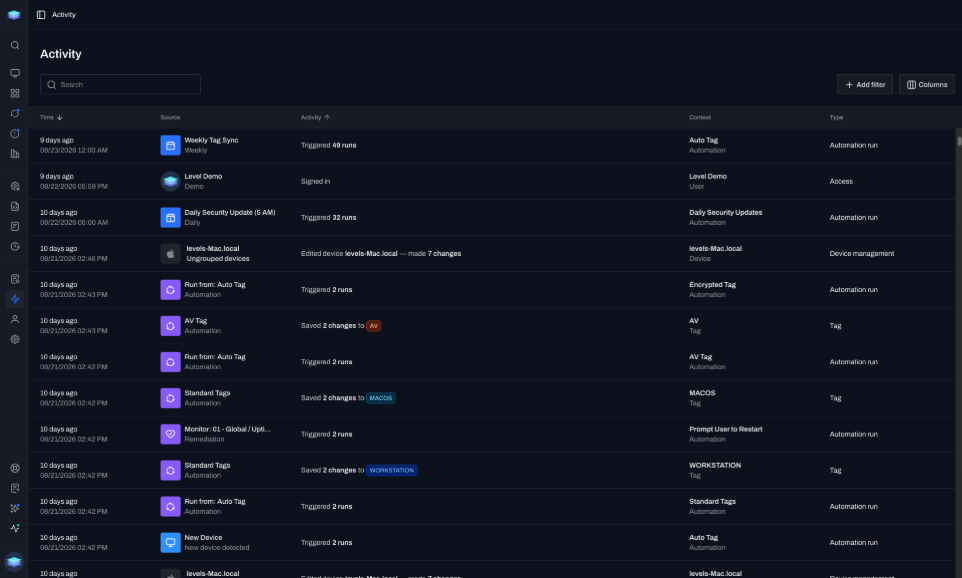
Everyone can see who is connected, when a session starts, and when it ends.
Prove it later with roles, two-factor authentication, IP restrictions, and complete audit trails.
Role-based permissions control who can start a session and on which device groups.
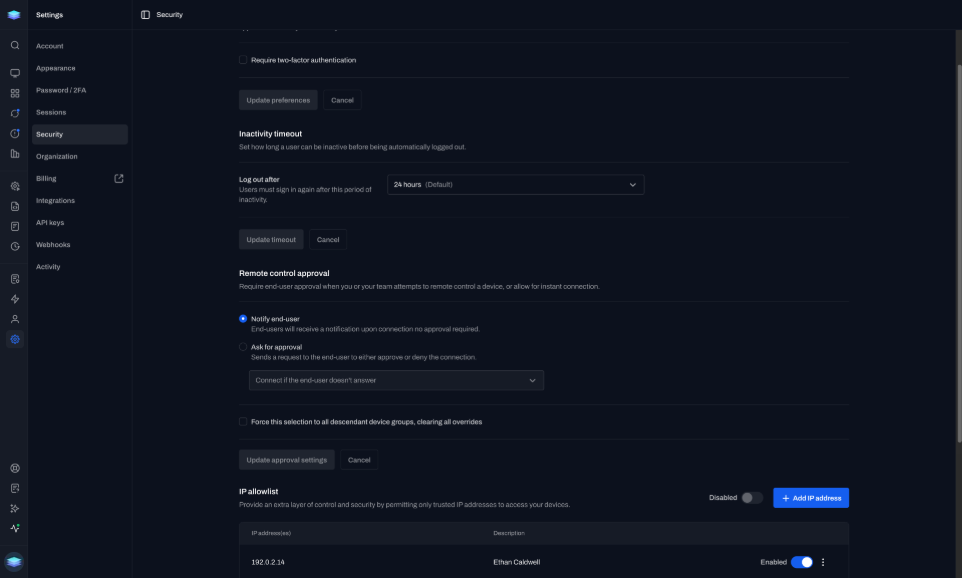
Use two-factor authentication on the accounts that start remote sessions.
Set IP restrictions for environments that require connections from approved networks only.
Audit logs capture session duration, technician, and actions taken.
“Level’s in-browser remote access is very good. If you need interactive remote access without a helper app, Level is a much better choice.”
ibor132
r/msp · Reddit
Use background tools when you do not need the screen.
Direct answers about the browser workflow and what you can do inside it.
No. Start the session in the browser from the device list.
Yes. System details, terminal, file explorer, services, and processes sit in the sidebar.
Yes. Copy and paste, including paste on login and UAC screens.
Yes. Presets, or a custom sequence you can save for that OS.
First 10 devices are free forever, with no time limit. Same features as paid.
Deploy the agent. Click a device. You should be in a session in minutes. First 10 devices free.