
As we approach the end of 2025, we wanted to take a moment to reflect on everything we've built together this year. It's been a transformative twelve months for Level, and none of it would have been possible without your support, feedback, and trust.
This year, we shipped approximately 50 releases across 10 major changelog updates—roughly one release every week. From foundational infrastructure like our Public API to powerful automation capabilities and deep integrations, 2025 has been about making Level the most capable, flexible, and secure RMM platform available.
Here's everything we accomplished together.
---
January: The Foundation
Public API Launch
We kicked off 2025 with the release of our Public API—a feature many of you had been asking for. The API gives you programmatic access to Level, opening up endless possibilities for custom integrations, automated workflows, and deeper connections with your existing tooling.
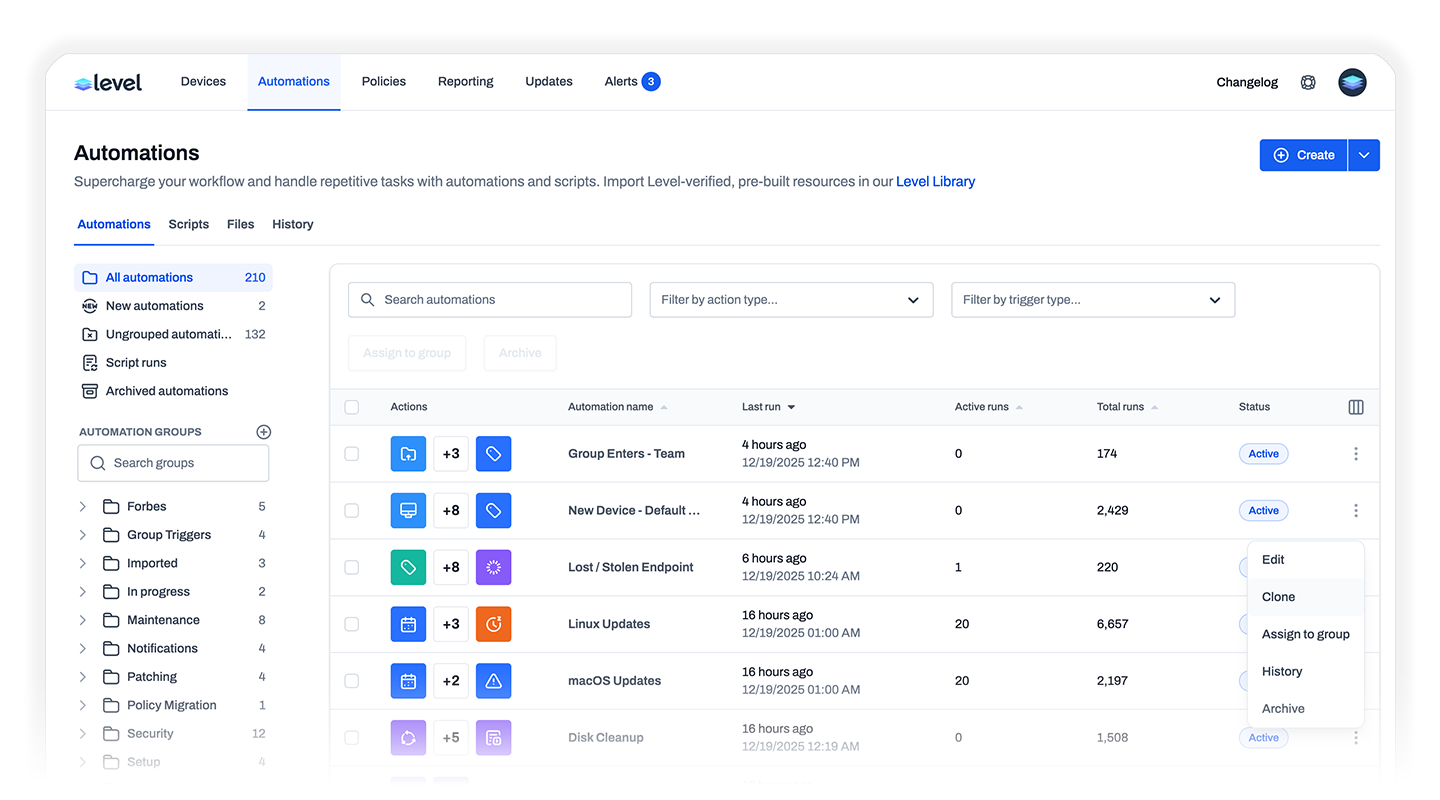
Cloning
We also introduced cloning, letting you replicate automations, actions, triggers, policies, and scripts with just a few clicks. No more rebuilding from scratch—just duplicate, tweak, and deploy.
---
February: Sharing & Streamlining
Level Library
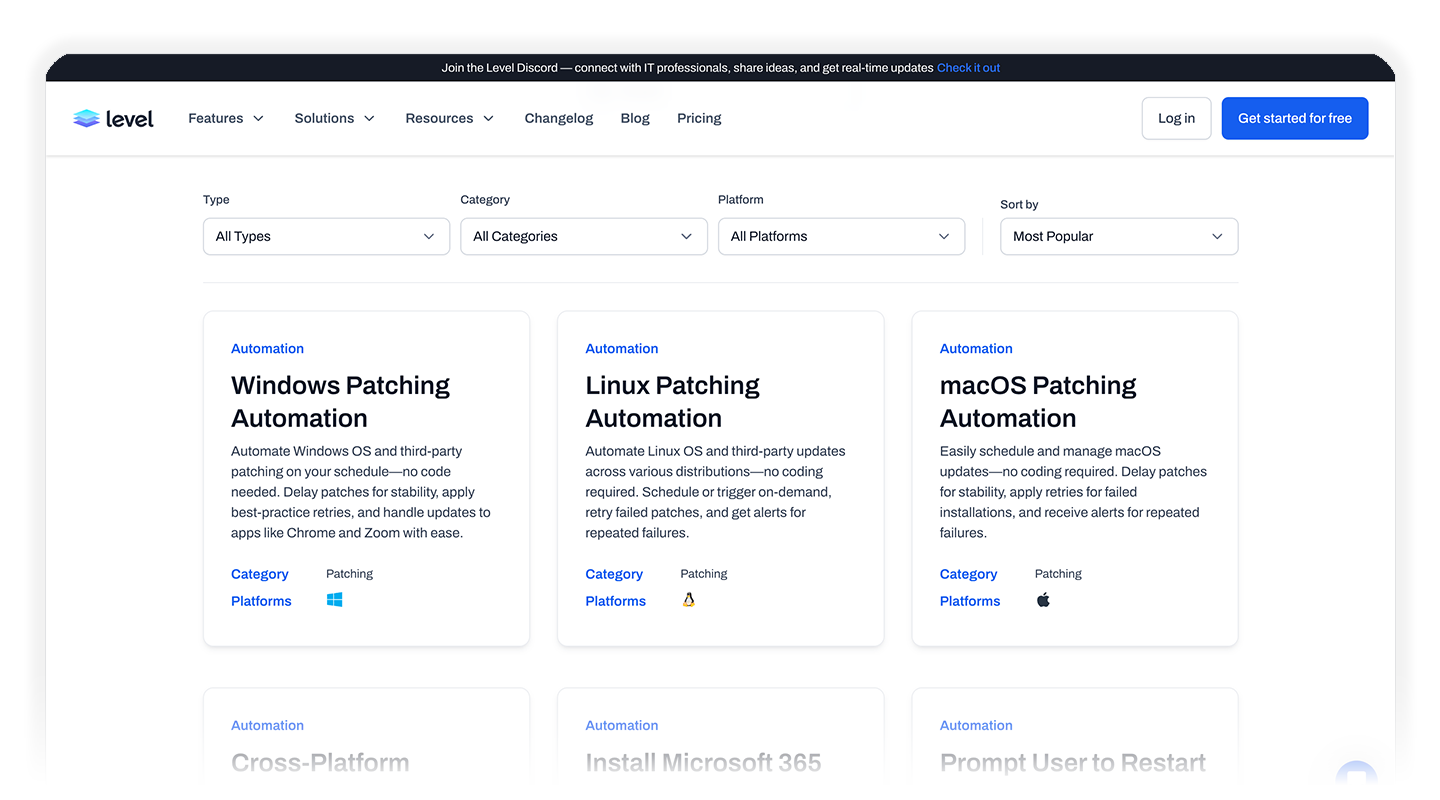
The Level Library launched as a free, community-driven collection of automations, scripts, and monitor policies. Every resource is Level-verified and can be imported with a single click. We also made it easy to share your own creations with the community.
Custom Branding
Your brand matters. With custom branding, you can now upload your logo and see exactly how end-user notifications appear in both light and dark mode across Windows and macOS.
File Repository & File Actions
We introduced a centralized File Repository (with 2GB of storage) along with Download File actions—both from your repository and from URLs. Managing deployment assets has never been easier.
Process & Service Management
New Start Process, Stop Process, and Manage Service actions gave you precise control over runtime operations, all from within your automations.
---
April: Visibility & Security
Reporting
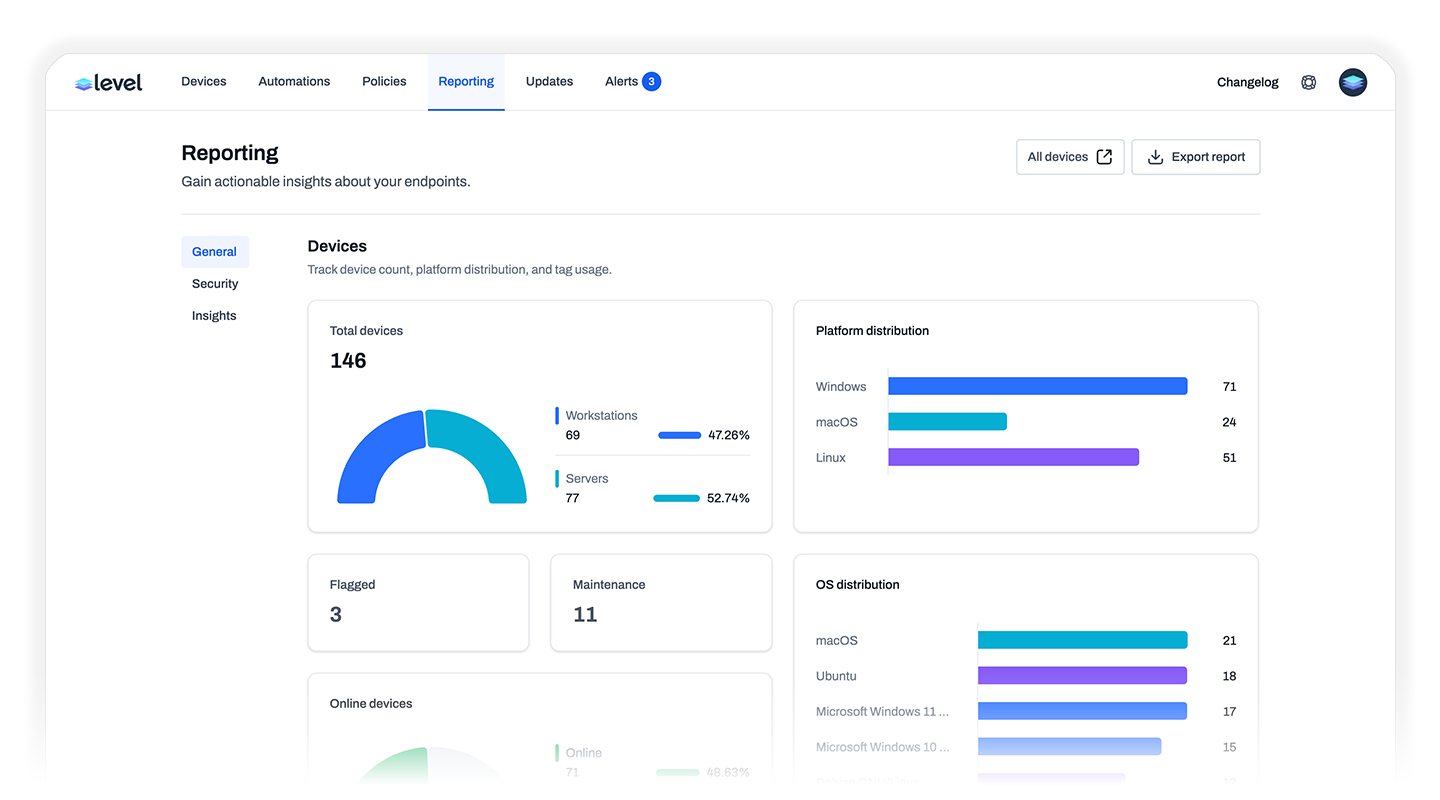
A massive addition: comprehensive reporting across your entire environment. Visualize data around devices, security posture, alerts, automations, and more. Drill down by device group, track trends, spot issues, and export reports to share with your team.
Disk Encryption Actions
Three new automation actions—Enable, Disable, and Rotate disk encryption keys—make it simple to enforce encryption policies at scale. Plus, you can now view and copy encryption keys directly from the device overview.
---
May: Modular Automations & Deep Monitoring
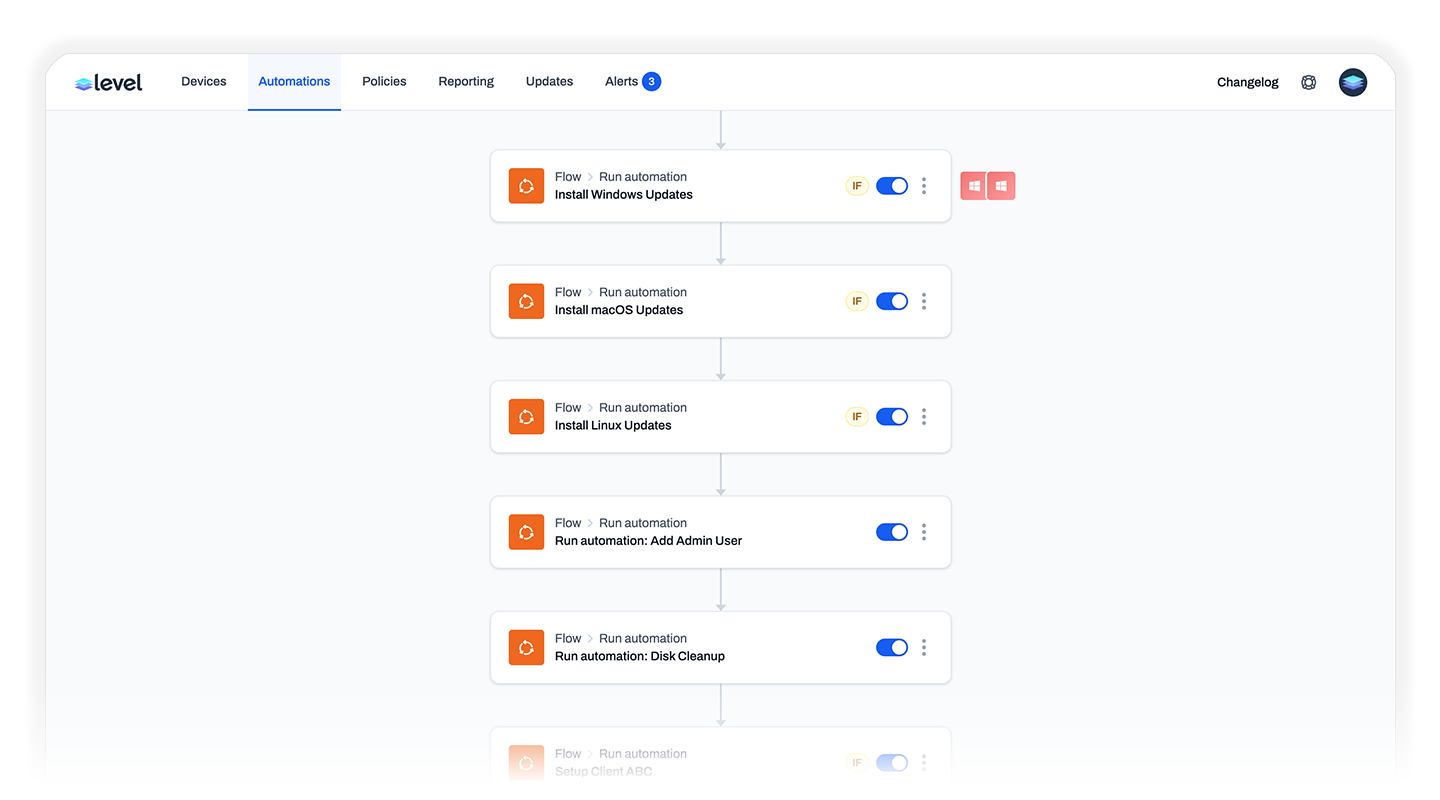
Run Automation Action
This was a game-changer for complex workflows. Now one automation can pause, execute another automation entirely, and then continue where it left off. Build reusable building blocks instead of duplicating logic.
Event Log Monitor
Monitor specific Windows Event IDs by defining log name, source, severity, and event ID. Surface critical events—failed logins, security alerts, service failures—without the noise.
HTTP Request Action
Connect Level to the rest of your world. Configure URLs, methods, headers, and bodies with full variable support to push data to external systems, trigger webhooks, or update third-party tools.
Hourly Schedule Trigger & Exit Automation Action
More scheduling flexibility with hourly intervals, plus the ability to conditionally exit automations mid-run.
---
June: Scripting Power & External Connectivity
Set Variable Command
Set variables directly within scripts for subsequent automation actions. No more careful output formatting—just set as many values as you need, right in your code.
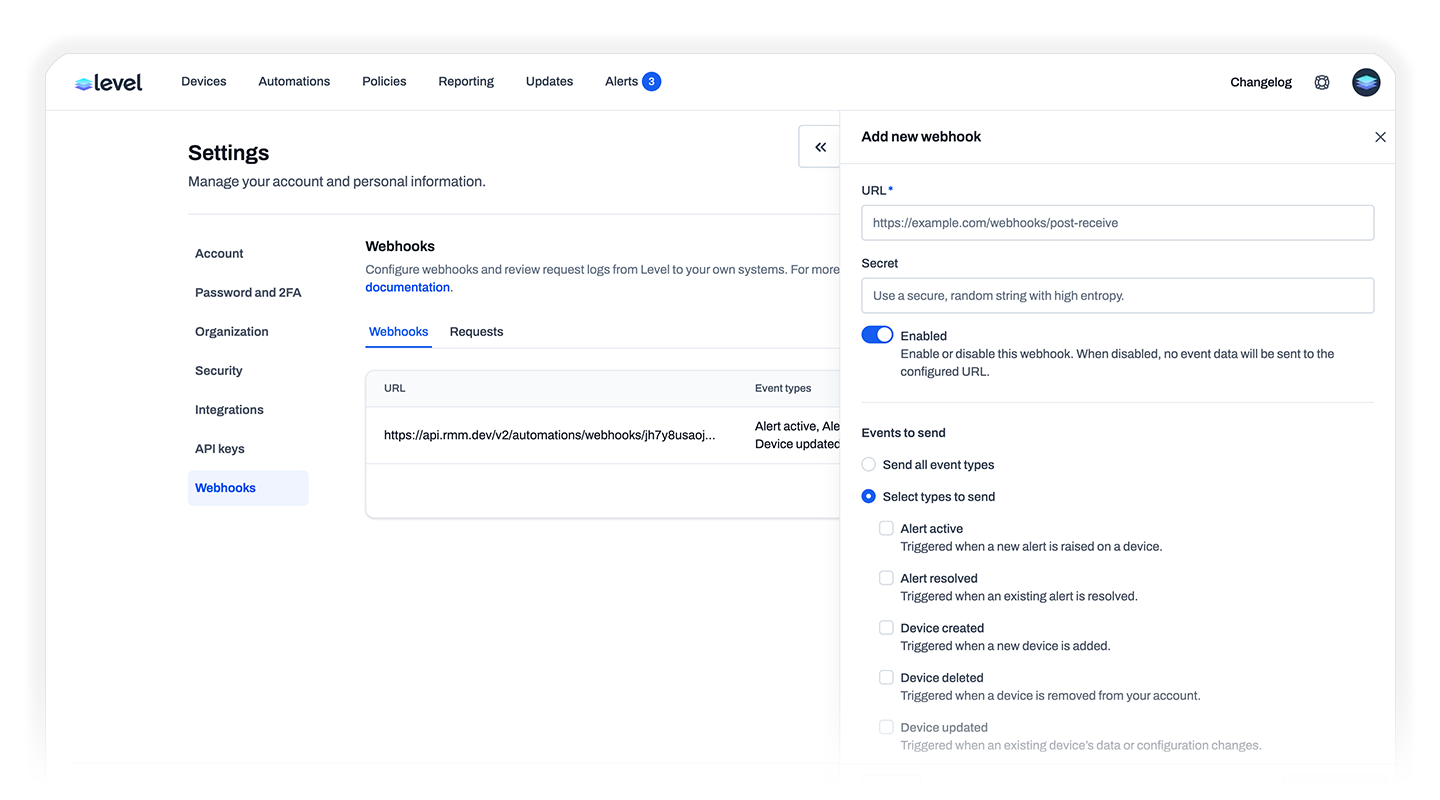
Webhooks
A dedicated webhooks section for sending event-based notifications to external systems. Full visibility into what's being sent, when, and how it was received.
Multiple API Keys
Create separate API keys for each integration—essential as your tooling ecosystem grows.
---
September: Platform Expansion
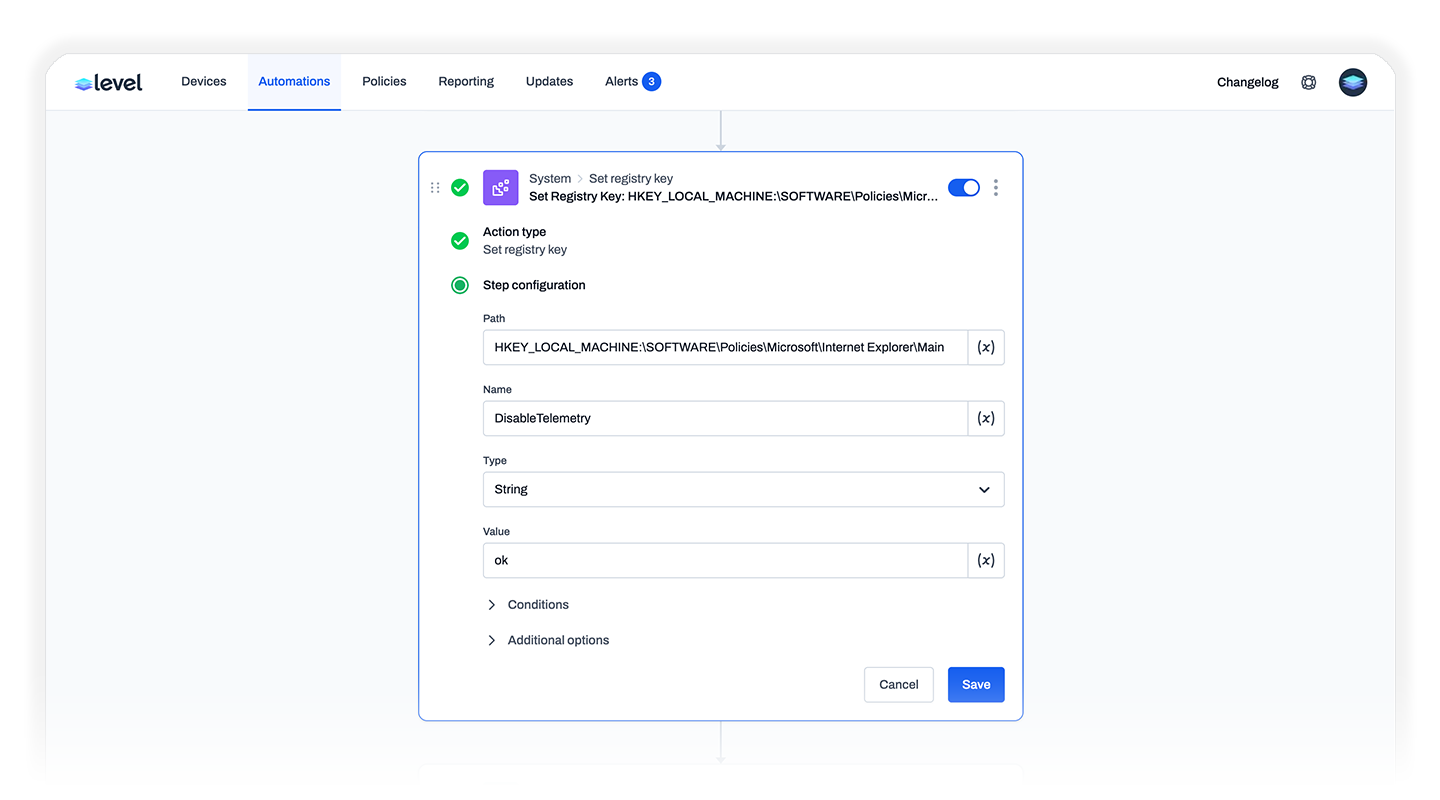
Registry Actions
Set and delete Windows registry keys directly through automations. Configure devices, enforce policies, and clean up legacy keys at scale—no scripting required.
Homebrew Actions
macOS got a major upgrade with full Homebrew support. Automate Homebrew installation, then install, update, or uninstall packages across your fleet.
Send Email Action
Notify technicians, alert stakeholders, or follow up on events—all automatically from your workflows.
Instant Secure Desktop Switching
We reworked remote control so UAC and secure desktop transitions happen without delay.
DeskDay Integration
Another PSA integration joins the family.
---
October: Communication & Flexibility
Send SMS Action
Text notifications directly from automations. Alert technicians or notify users in real time.
Custom Field Changed Trigger
React immediately when custom field values change—perfect for keeping workflows aligned with your environment.
Send Email Report Action
Summarize automation results directly to your inbox with dynamic, variable-enabled content.
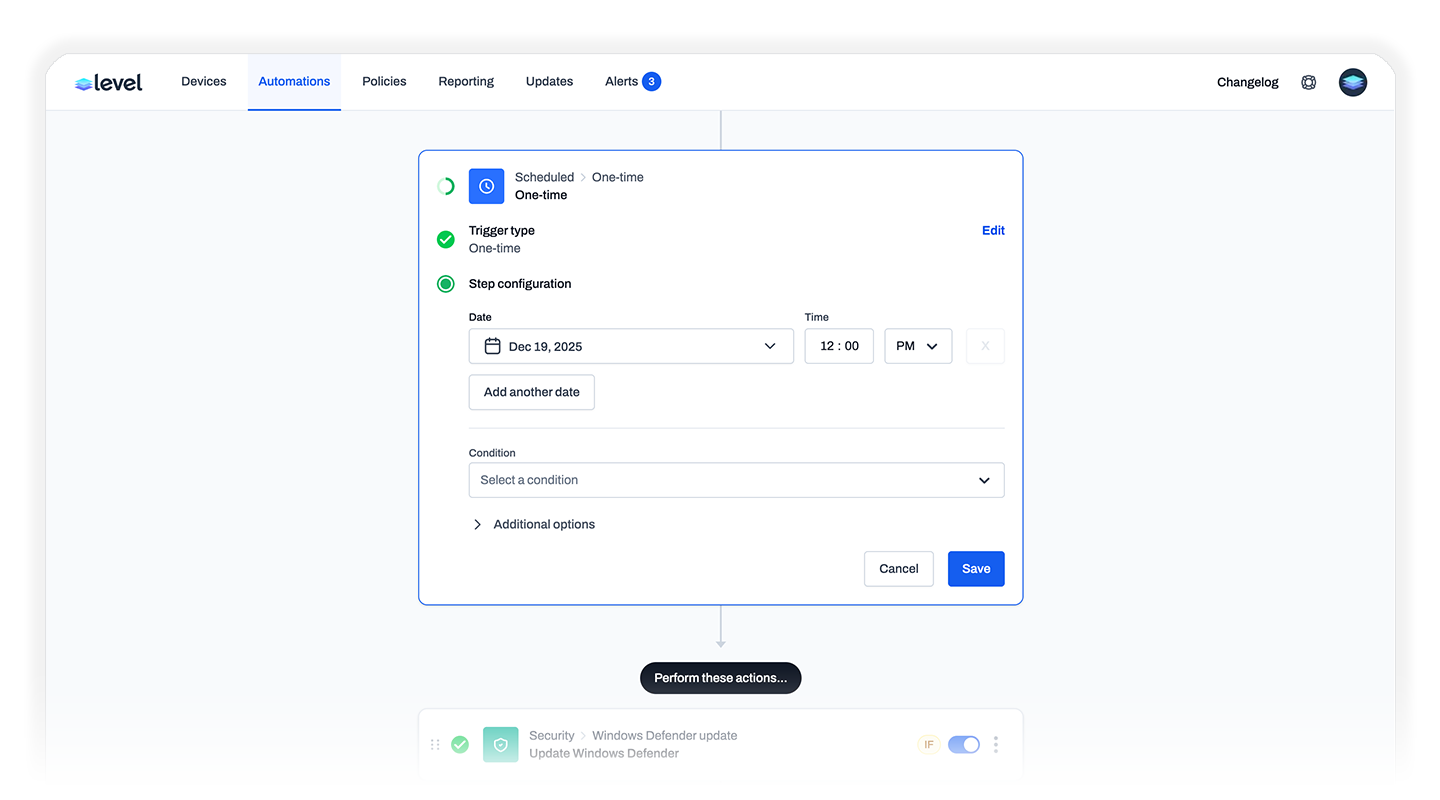
One-Time Trigger
Schedule automations for a specific date and time—ideal for phased rollouts or one-off tasks. Stack multiple one-time events on a single trigger.
---
November: API Maturity
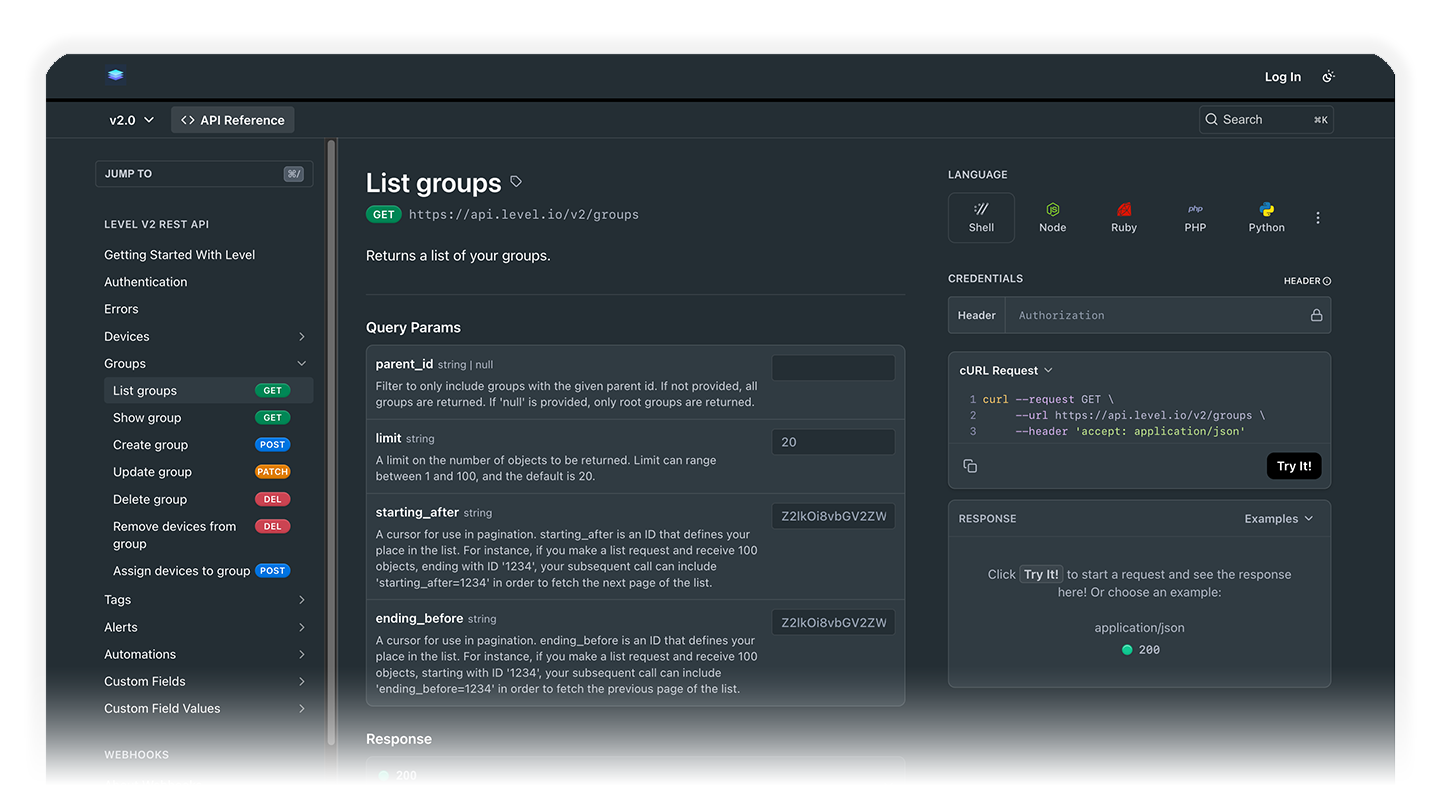
Public API Expansion
We significantly expanded the Public API with full CRUD operations for:
- Groups: Create, update, delete, and assign devices
- Devices: Update names, groups, notes, and delete
- Tags: List, create, update, delete, and apply/remove
- Custom Fields: Full management at organization, group, or device level
Your ability to automate and integrate just leveled up significantly.
---
By the Numbers
Metric | 2025 Total |
|---|---|
Major Changelog Updates | 10 |
Estimated Individual Releases | ~50 |
New Automation Actions | 20+ |
New Triggers | 5+ |
New Integrations | 2 (DeskDay, expanded PSAs) |
---
Growing the Team

Building great software requires great people. This year we expanded the Level team, bringing on a new support engineer to ensure you get the help you need, when you need it. As our community grows, so does our commitment to supporting you.
We were also recognized as the fastest-growing startup in Asheville based on compound annual growth rate—a reflection of the trust you've placed in us.
And we're not stopping there—more engineering team expansions are planned for 2026 as we continue to scale.
---
What's Next
2025 was about making Level more powerful and easier to use. With one-click imports from the Level Library, built-in reporting, and dozens of new automation actions, you can accomplish more without writing a single line of code. And for power users who want deeper integrations, the expanded Public API and webhooks are there when you need them.
We have ambitious plans for 2026, and we can't wait to share them with you. Expect major improvements landing in early 2026—we're already hard at work on features we think you're going to love.
Thank you for being part of the Level community. Your feedback drives everything we build.
Here's to an even bigger 2026.
— The Level Team
---
Have questions or want to share how you're using these features? Join us on Discord or reach out at support@level.io.