
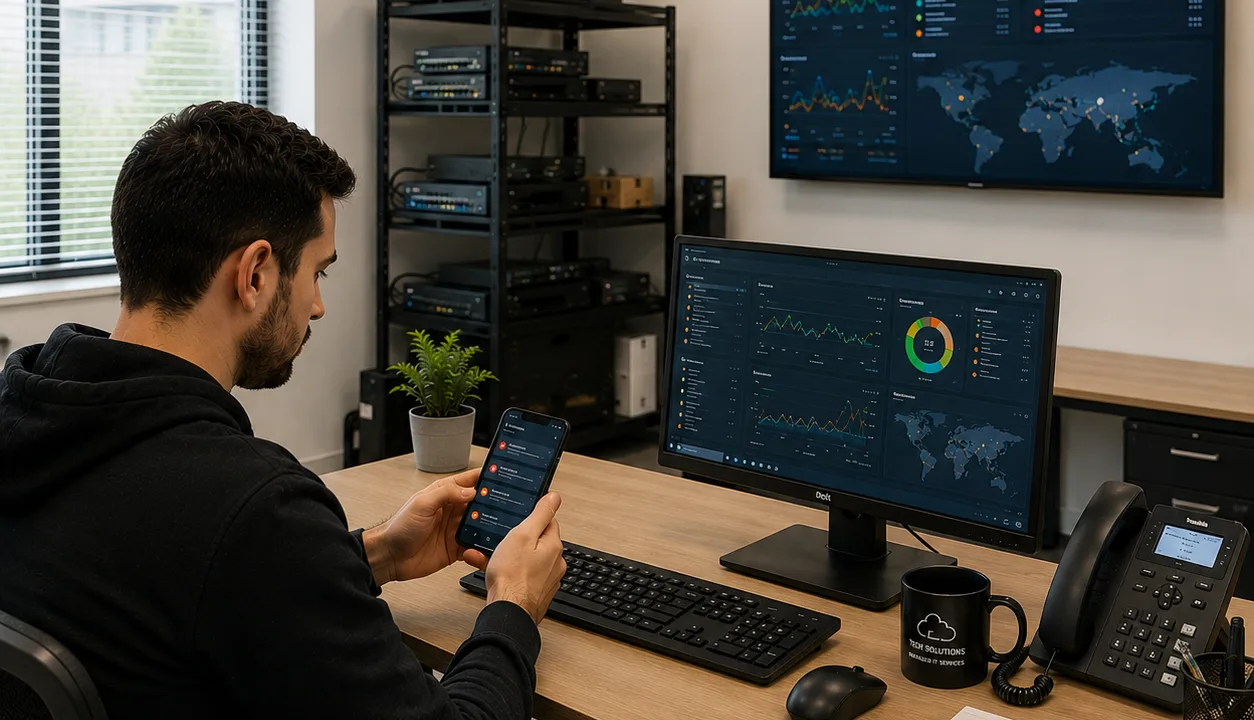
Modern IT environments generate massive amounts of operational data every day. Without a centralized way to visualize system health and performance, IT teams can struggle to identify issues quickly and maintain operational visibility.
This is where IT monitoring dashboards become essential.
An IT monitoring dashboard provides a real-time view of infrastructure, applications, networks, and services from a single interface. It helps IT teams detect problems faster, track performance metrics, and make informed operational decisions.
For organizations managing complex environments, dashboards are critical for improving uptime, incident response, and operational efficiency.
This guide explains:
- What an IT monitoring dashboard is
- Why monitoring dashboards matter
- Key components of an effective dashboard
- Steps for building an IT monitoring dashboard
- Best practices for improving dashboard usability
What Is an IT Monitoring Dashboard?
An IT monitoring dashboard is a centralized visual interface that displays operational data from monitoring tools and infrastructure systems.
Dashboards help IT teams monitor:
- Server health
- Network performance
- Application availability
- Cloud infrastructure
- Security events
- System resource utilization
- Incident alerts
Instead of reviewing multiple monitoring tools separately, teams can use dashboards to quickly understand the status of their IT environment in real time.
Monitoring dashboards are commonly used by:
- IT operations teams
- Network administrators
- DevOps engineers
- MSPs
- Security operations centers (SOCs)
- Infrastructure teams
Why IT Monitoring Dashboards Matter
As infrastructure becomes more distributed and complex, operational visibility becomes increasingly difficult.
An effective monitoring dashboard helps organizations:
- Detect outages faster
- Improve incident response
- Reduce downtime
- Track system performance
- Improve operational awareness
- Support proactive IT management
Without centralized visibility, teams often spend too much time switching between tools and manually investigating issues.
Faster Incident Detection
Dashboards provide real-time insight into infrastructure health.
When issues occur, teams can quickly identify:
- Affected systems
- Performance degradation
- Service interruptions
- Resource bottlenecks
- Network failures
This reduces mean time to detection (MTTD) and accelerates response workflows.
Improved Operational Visibility
Modern IT environments often include:
- On-premises infrastructure
- Cloud platforms
- Hybrid environments
- Remote endpoints
- SaaS applications
- Containers and microservices
Dashboards consolidate operational data into a single view, helping teams understand system dependencies and overall infrastructure health.
Better Decision-Making
Dashboards make complex operational data easier to understand.
Instead of analyzing raw logs or isolated metrics, IT teams can use visualizations to:
- Identify trends
- Monitor capacity
- Track performance anomalies
- Measure service reliability
Better visibility leads to faster and more informed operational decisions.
Key Components of an Effective IT Monitoring Dashboard
A monitoring dashboard should provide actionable information instead of overwhelming users with excessive data.
The most effective dashboards focus on clarity, relevance, and operational priorities.
Real-Time Metrics
Real-time visibility is essential for monitoring active environments.
Common real-time metrics include:
- CPU utilization
- Memory usage
- Disk performance
- Network latency
- Application response times
- Error rates
- Service availability
These metrics help teams identify operational issues as they happen.
Alerts and Notifications
Dashboards should clearly display active alerts and incidents.
Important alert information includes:
- Severity levels
- Affected systems
- Incident status
- Escalation details
- Response timelines
Clear alert visibility improves incident coordination and prioritization.
Historical Performance Data
Historical metrics help teams identify:
- Long-term trends
- Capacity issues
- Recurring incidents
- Performance degradation patterns
Historical reporting supports both troubleshooting and strategic infrastructure planning.
Visualizations and Graphs
Visual elements improve readability and operational awareness.
Common dashboard visualizations include:
- Line graphs
- Heat maps
- Status indicators
- Performance charts
- Availability summaries
Good visual design helps teams interpret operational data quickly during incidents.
System and Service Health Indicators
Dashboards should provide clear status visibility for critical systems.
Examples include:
- Online or offline status
- Service health indicators
- Dependency monitoring
- Uptime metrics
- Infrastructure availability
Simple health indicators make it easier to detect problems immediately.
Steps to Build an IT Monitoring Dashboard
Building an effective dashboard requires more than simply displaying data. Organizations should design dashboards around operational goals and user needs.
Define Monitoring Objectives
The first step is identifying what the dashboard should accomplish.
Common goals include:
- Improving uptime visibility
- Detecting incidents faster
- Tracking SLA performance
- Monitoring application health
- Supporting capacity planning
Clear objectives help determine which metrics and visualizations matter most.
Identify Critical Systems and Metrics
Not all infrastructure components require equal visibility.
Organizations should prioritize:
- Business-critical applications
- Customer-facing services
- Core network infrastructure
- Authentication systems
- Cloud workloads
Monitoring too many metrics can create clutter and reduce dashboard effectiveness.
Focus on metrics that directly support operational decision-making.
Choose the Right Monitoring Tools
Dashboard quality depends heavily on the monitoring platform used.
Organizations should look for tools that support:
- Real-time monitoring
- Multi-source integrations
- Custom dashboards
- Automation
- Alert management
- Scalability
Modern observability platforms often provide centralized dashboards with flexible customization options.
Organize Data by Priority
The most important information should appear first.
Critical alerts and high-priority services should be highly visible.
A common structure includes:
- Critical incidents at the top
- Real-time performance metrics in the center
- Historical trends and secondary metrics below
Clear organization improves usability during high-pressure situations.
Use Simple and Readable Visual Design
Overly complex dashboards can reduce operational efficiency.
Best practices include:
- Avoiding excessive visual clutter
- Using consistent color schemes
- Highlighting critical alerts clearly
- Keeping layouts simple
- Limiting unnecessary widgets
Dashboards should improve visibility, not create confusion.
Customize Dashboards for Different Teams
Different teams require different operational insights.
Examples include:
- Network teams monitoring latency and bandwidth
- DevOps teams tracking application performance
- Security teams reviewing threat activity
- Executives monitoring SLA compliance
Role-based dashboards improve relevance and usability.
Automate Data Collection and Reporting
Manual reporting increases operational overhead and delays visibility.
Automation helps:
- Collect metrics continuously
- Update dashboards in real time
- Generate reports automatically
- Trigger alerts instantly
Automated monitoring improves consistency and reduces manual workload.
Common Mistakes to Avoid
Organizations often reduce dashboard effectiveness by including too much unnecessary information.
Displaying Too Many Metrics
More data does not always improve visibility.
Too many metrics can:
- Overwhelm users
- Reduce focus
- Hide critical issues
- Increase cognitive load
Dashboards should prioritize actionable information.
Ignoring Alert Prioritization
If all alerts appear equally important, teams may struggle to identify urgent incidents.
Dashboards should clearly separate:
- Critical outages
- High-priority warnings
- Informational events
Effective prioritization improves incident response efficiency.
Failing to Update Dashboards
IT environments change constantly.
Dashboards should evolve alongside:
- Infrastructure changes
- Cloud migrations
- New applications
- Operational priorities
Regular reviews help maintain dashboard relevance.
Poor Mobile Accessibility
Many IT teams respond to incidents remotely.
Dashboards should support:
- Mobile-friendly interfaces
- Responsive layouts
- Remote alert visibility
Mobile accessibility improves response flexibility and operational awareness.
Best Practices for IT Monitoring Dashboards
Successful dashboards focus on operational clarity and usability.
Focus on Actionable Insights
Every metric displayed should support operational decisions.
If a metric does not help teams detect, diagnose, or resolve issues, it may not belong on the dashboard.
Prioritize Business Impact
Critical business services should receive the highest visibility.
Dashboards should highlight issues that affect:
- Customers
- Revenue
- Availability
- Security
- Service reliability
Business-aligned monitoring improves operational prioritization.
Continuously Optimize Dashboard Design
Dashboard effectiveness should be reviewed regularly.
Teams should evaluate:
- Which metrics are most useful
- Which alerts are ignored
- Whether layouts improve response speed
- How quickly teams identify incidents
Continuous optimization improves long-term usability.
Integrate Dashboards With Incident Response Workflows
Monitoring dashboards become more valuable when integrated with:
- Alerting systems
- Ticketing platforms
- Collaboration tools
- Incident management software
Integrated workflows improve coordination and reduce response delays.
The Future of IT Monitoring Dashboards
Modern monitoring dashboards are evolving beyond static infrastructure views.
Emerging capabilities include:
- AI-powered anomaly detection
- Predictive analytics
- Automated root cause analysis
- Intelligent alert correlation
- Real-time dependency mapping
- Observability-driven insights
These technologies help organizations improve operational visibility while reducing manual investigation time.
As IT environments continue to grow more complex, dashboards will play an increasingly important role in maintaining infrastructure reliability and performance.
Final Thoughts
An effective IT monitoring dashboard helps organizations maintain visibility across increasingly complex environments.
By centralizing operational data, dashboards improve:
- Incident detection
- System monitoring
- Infrastructure visibility
- Response coordination
- Operational decision-making
Successful dashboards focus on actionable insights, clear visual design, and business-critical priorities.
Building the right monitoring dashboard is not about displaying more data. It is about helping IT teams understand and respond to operational issues faster and more effectively.
FAQ
What is an IT monitoring dashboard?
An IT monitoring dashboard is a centralized interface that displays real-time operational data from infrastructure, applications, networks, and monitoring systems.
Why are monitoring dashboards important?
Monitoring dashboards improve operational visibility, accelerate incident detection, reduce downtime, and help IT teams respond to issues more efficiently.
What metrics should an IT dashboard include?
Common metrics include CPU usage, memory utilization, network performance, application response times, uptime, error rates, and active alerts.
How do IT dashboards improve incident response?
Dashboards provide real-time visibility into system health and active alerts, allowing IT teams to identify and resolve issues more quickly.
What are the best practices for building a monitoring dashboard?
Best practices include prioritizing actionable metrics, simplifying visual design, customizing dashboards by role, automating reporting, and continuously optimizing dashboard layouts.