
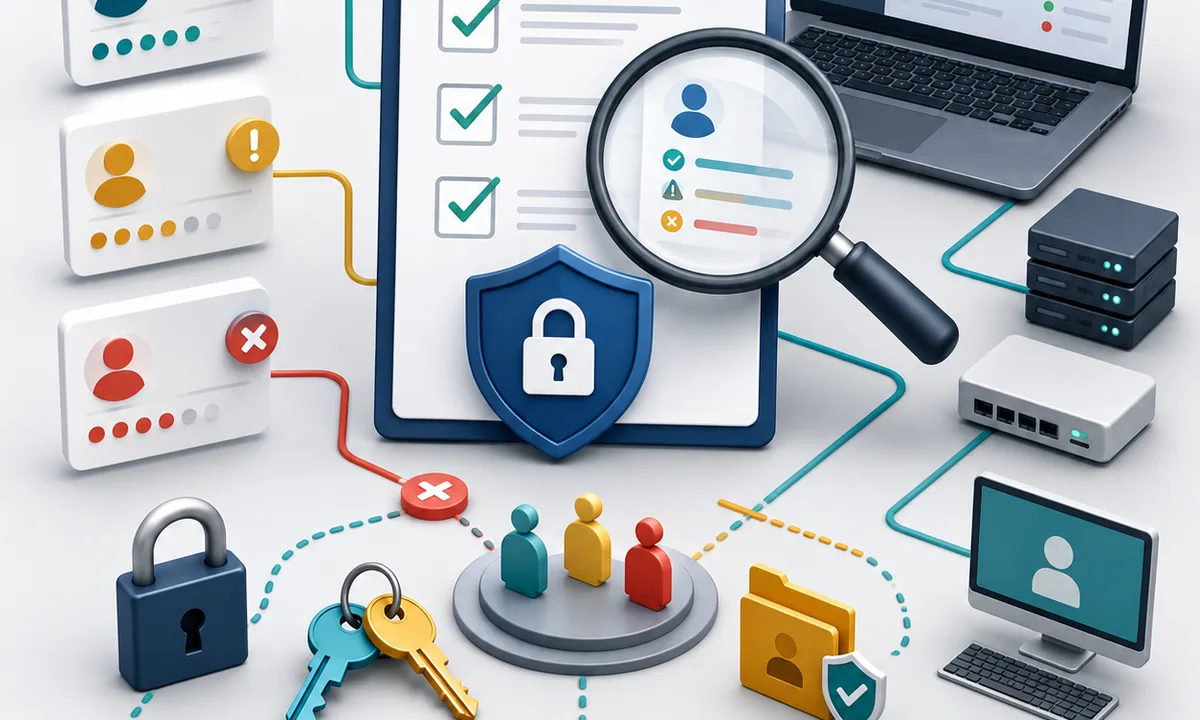
How to Audit, Control, and Secure Access Across RMM and IT Systems
Overview
Access control is a critical component of IT security. For MSPs and IT teams, poorly managed access can expose sensitive systems, especially Remote Monitoring and Management (RMM) platforms, which provide deep control over client environments.
An access review checklist helps teams:
- Identify excessive or outdated permissions
- Reduce security risks
- Enforce least privilege access
- Maintain compliance and accountability
This guide provides a structured checklist for reviewing and securing access across IT systems, with a strong focus on RMM Security and protecting RMM environments.
What Is an Access Review?
An access review is a formal process of evaluating who has access to systems, what level of access they have, and whether that access is still appropriate.
It answers key questions:
- Who has access to critical systems?
- What permissions do they have?
- Do they still need that access?
- Are there any security risks?
Access reviews also support a zero trust access approach by requiring organizations to continually validate whether users, accounts, and systems should retain their existing permissions.
Why Access Reviews Are Critical for RMM Security
RMM platforms have elevated privileges across endpoints. If compromised, they can:
- Deploy malicious scripts
- Access sensitive data
- Disrupt operations at scale
Common Risks Without Access Reviews
- Orphaned accounts from former employees
- Excessive admin privileges
- Shared credentials
- Lack of visibility into user activity
Benefits of Regular Access Reviews
- Reduced attack surface
- Stronger compliance posture
- Improved accountability
- Better control over critical systems
Core Principles of Access Control
Before applying a checklist, align with these principles:
Least Privilege
Users should only have access necessary for their role.
Role-Based Access Control (RBAC)
Permissions should be assigned based on roles, not individuals.
Separation of Duties
Critical tasks should require multiple roles to reduce risk.
Zero Trust Access
Zero trust access is based on the principle that access should not be automatically trusted simply because a user, device, or account is already inside an organization's environment.
Instead, organizations should verify identity and authorization and apply appropriate access controls before granting access to sensitive resources. Access reviews complement this approach by helping IT teams identify permissions that are no longer justified.
For RMM environments, this is particularly important because administrative accounts can have extensive control over endpoints.
Continuous Monitoring
Access should be reviewed regularly, not just once.
Access Review Checklist for IT Teams
Use this checklist to perform structured and repeatable access reviews.
1. Inventory All Systems and Access Points
Start with full visibility.
Identify:
- RMM platforms
- PSA systems
- Cloud services
- Servers and endpoints
- Network devices and access points
Goal
Create a complete list of systems that require access control. This inventory should include both the systems users directly sign in to and infrastructure that could provide a pathway to sensitive resources.
2. Audit User Accounts
Review all user accounts across systems.
Check for:
- Active vs inactive users
- Former employees or contractors
- Duplicate accounts
- Shared accounts
Action
Remove or disable unnecessary accounts immediately.
3. Review User Roles and Permissions
Evaluate what each user can do.
Identify:
- Users with administrative access
- Privilege levels assigned
- Misaligned roles
Questions to Ask:
- Does this user need this level of access?
- Is this aligned with their role?
4. Enforce Least Privilege
Adjust permissions to match actual needs.
Actions:
- Reduce unnecessary admin access
- Assign role-based permissions
- Remove temporary privileges
5. Validate Multi-Factor Authentication
Ensure strong authentication is enforced.
Verify:
- MFA is enabled for all critical systems
- Especially required for RMM and remote access tools
Outcome
Reduced risk of credential-based attacks.
6. Review Third-Party Access
External vendors often have system access.
Check:
- Who has access
- What permissions they have
- Whether access is still required
Action
Limit or revoke unnecessary third-party access.
7. Audit Service Accounts and Automation
Service accounts are often overlooked.
Review:
- Permissions assigned to service accounts
- Usage and activity
- Expiration policies
Risk
Overprivileged service accounts can be exploited.
8. Analyze Access Logs and Activity
Review system activity for anomalies.
Look for:
- Unusual login times
- Access from unexpected locations
- Repeated failed login attempts
Outcome
Early detection of potential security threats.
9. Review Remote and Unattended Access
Remote administration introduces another category of privileged access that should be included in access reviews. Unattended access can allow authorized IT personnel to connect to managed endpoints without someone at the endpoint manually accepting each session.
Check:
- Which users can initiate remote sessions
- Which endpoints permit unattended connections
- Whether former technicians or vendors retain permissions
- Whether remote access permissions match current job responsibilities
- Whether remote sessions are appropriately logged
Action
Remove remote access permissions that are no longer required and regularly verify who can remotely connect to critical endpoints.
10. Validate Access Policies
Ensure policies are documented and enforced.
Check:
- Access request procedures
- Approval workflows
- Offboarding processes
Goal
Consistency in how access is granted and removed.
11. Review Endpoint Data Protection Controls
Access reviews should also consider whether sensitive endpoint data has appropriate protection against unauthorized changes.
For Windows environments, controlled folder access can provide an additional security control by helping prevent unauthorized or untrusted applications from modifying protected folders. This is different from user access management, but it can complement broader endpoint security controls.
IT teams should document which security controls are required on managed endpoints and periodically verify that they remain properly configured.
12. Document Findings and Actions
Keep records of your review.
Include:
- Issues identified
- Actions taken
- Pending risks
Benefit
Improves accountability and supports compliance.
13. Schedule Regular Reviews
Access reviews should be ongoing.
Recommended Frequency:
- Quarterly for most systems
- Monthly for high-risk systems like RMM
Access Review Workflow for IT Teams
To operationalize the checklist, follow a structured workflow.
Step 1: Define Scope
Determine which systems and users will be reviewed.
Step 2: Collect Access Data
Export user lists, roles, and permissions from systems.
Step 3: Analyze Access Levels
Compare current access against role requirements.
Step 4: Identify Risks
Flag:
- Overprivileged users
- Inactive accounts
- Policy violations
Step 5: Take Action
- Remove unnecessary access
- Adjust permissions
- Enforce security controls
Step 6: Validate Changes
Ensure updates are applied correctly.
Step 7: Report Results
Share findings with stakeholders.
Best Practices for Securing RMM Access
Enforce Strict Access Controls
Limit RMM access to authorized personnel only.
Administrative privileges should be granted based on actual responsibilities rather than convenience. Review these privileges whenever an employee changes roles or responsibilities.
Use MFA Everywhere
Require MFA for all RMM and administrative access.
MFA adds another layer of protection if a user's password is exposed or compromised.
Avoid Shared Accounts
Assign individual credentials to every user.
Individual accounts improve accountability because activity can be associated with a specific administrator or technician.
Control Remote Access
Review both attended and unattended access permissions as part of your RMM security process. Only authorized users should be able to initiate remote sessions, and access should be removed promptly when it is no longer required.
Monitor Continuously
Track access and activity in real time.
Monitoring can help identify unusual authentication attempts, unexpected administrative activity, and other events that warrant investigation.
Integrate with Security Tools
Connect RMM with SIEM or monitoring platforms for visibility where appropriate.
How Access Reviews Support Zero Trust Security
Traditional access models can leave users with permissions long after those permissions are actually required. A zero trust approach instead emphasizes continuous verification and limiting access according to current needs.
Regular access reviews support zero trust access by giving IT teams a repeatable process for validating users, roles, administrative privileges, third-party accounts, service accounts, and remote-access permissions.
For MSPs, this can be particularly important because RMM platforms may provide access across multiple customer environments. Reducing unnecessary privileges limits the potential scope of a compromised account.
Access reviews alone do not create a complete zero trust architecture, but they provide an important governance process for maintaining appropriate permissions over time.
Common Mistakes to Avoid
- Ignoring inactive accounts
- Granting excessive admin privileges
- Skipping regular reviews
- Failing to monitor activity logs
- Not enforcing MFA
- Leaving unnecessary remote access enabled
- Failing to review third-party and service accounts
Key Takeaways
- Access reviews are essential for securing IT systems and RMM platforms
- Regular audits reduce risk and improve control
- Least privilege and RBAC are foundational principles
- Zero trust principles reinforce continuous access validation
- Remote access permissions should be included in security reviews
- Continuous monitoring strengthens security posture
- A structured checklist ensures consistency and accountability
FAQ
What is the purpose of an access review?
An access review helps verify that users have appropriate permissions and identifies access that is unnecessary, outdated, or potentially risky. It also gives IT teams an opportunity to remove inactive accounts and excessive privileges.
How often should access reviews be conducted?
Quarterly reviews can provide a baseline for many systems, while critical or highly privileged systems may require more frequent reviews. The appropriate frequency should reflect the organization's risk profile, compliance obligations, and rate of access changes.
Why is RMM access particularly sensitive?
RMM platforms can provide administrators with extensive control over multiple endpoints and systems. An account with excessive or compromised RMM privileges can therefore create risk across more than one managed device.
What is least privilege access?
Least privilege is a security principle where users receive only the permissions required to perform their responsibilities. Access should be adjusted when those responsibilities change.
What is zero trust access?
Zero trust is an approach in which access is not automatically trusted based solely on a user's location or previous authorization. Identity, authorization, device context, and other relevant factors can be evaluated before granting access to protected resources.
Should unattended access be included in an access review?
Yes. Remote access permissions should be reviewed alongside other privileged permissions. IT teams should verify who can establish unattended remote sessions, which endpoints they can access, and whether those permissions are still necessary.
Is controlled folder access an access management feature?
Not in the same sense as RBAC or identity access controls. Controlled folder access is a Windows security capability designed to help protect specified folders from unauthorized changes by untrusted applications. It can complement endpoint security, but it does not replace identity and permission management.